On-page SEO is the practice of optimizing individual web pages so they rank higher in search results and attract more relevant organic traffic. It covers everything you control directly on the page: the content you write, the HTML tags you set, the URLs you choose, and the internal links you add.
When someone searches for "best running shoes for marathon training" or "emergency plumber near me," your on-page work determines whether Google understands your page well enough to show it for those queries.
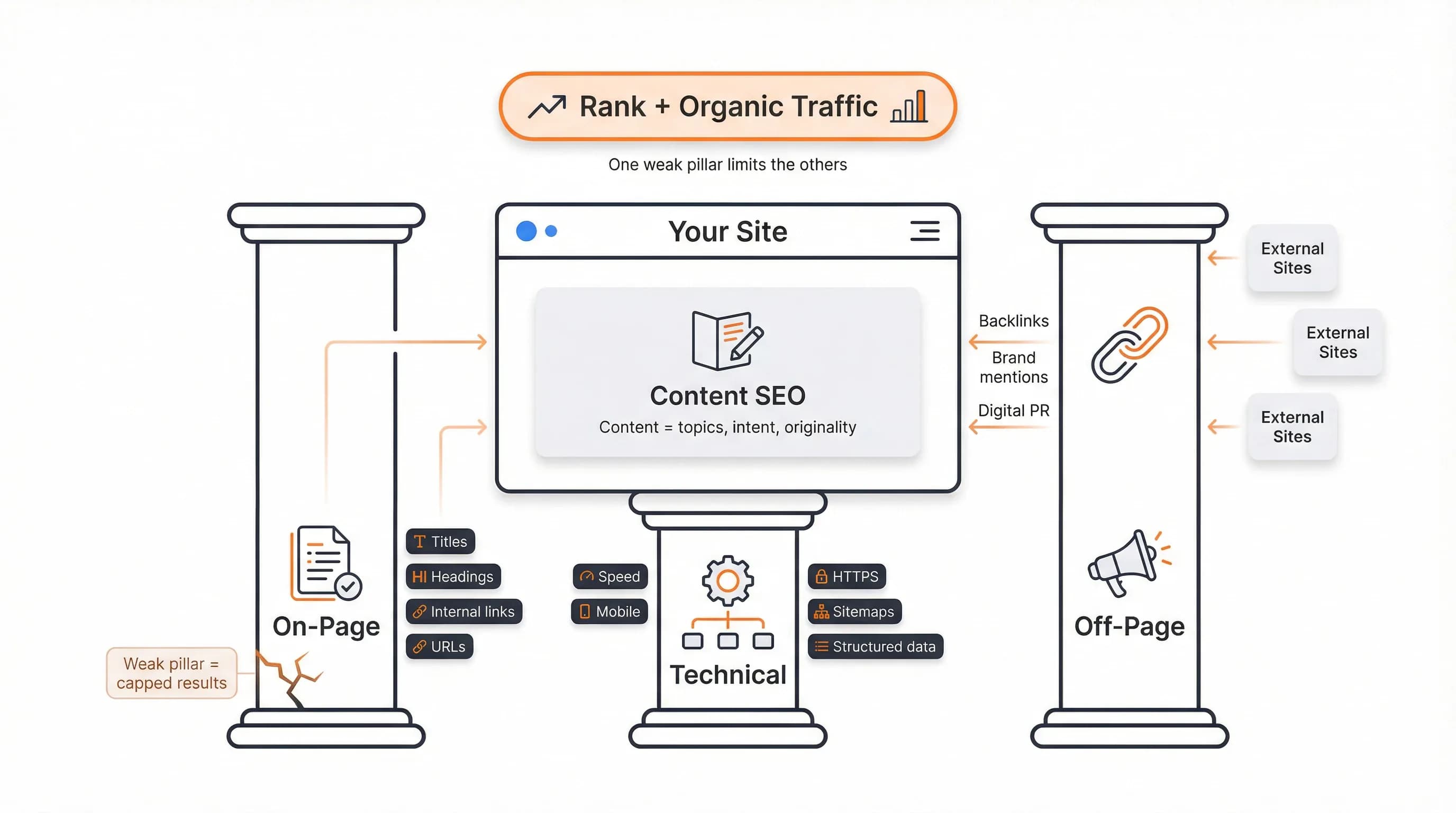
On-page SEO sits alongside two other core pillars: technical SEO (site performance and crawlability) and off-page SEO (backlinks and brand mentions). Top-ranking pages answer questions thoroughly, use clean structure, and match search intent precisely.
If you want a tactical task list you can follow step by step, our on-page SEO checklist walks through every element in detail.
TL;DR: On-Page SEO in Simple Terms
On-page SEO is everything you do on a specific page to help search engines and people quickly understand what it's about and when to show it. That includes the words you write, the titles and headings you set, the URL you choose, and how you structure the content. Clearer relevance signals translate into better rankings, higher click-through rates, and more qualified visits because Google can confidently match your page to the right searches.
What Is On-Page SEO?
On-page SEO is the practice of optimizing a page's content, structure, and HTML tags so it better matches search intent and can rank higher in organic results. You're shaping the signals Google reads when deciding which pages deserve to appear for specific queries.
The main elements include:
- Keyword targeting
- Title tags and H1s
- Body copy and subheadings
- URL slugs
- Internal links
- User-friendly layouts
Each element tells search engines something about your topic, quality, and relevance. Get them right and you increase your odds of ranking. Get them wrong or leave them default, and you make Google's job harder. But knowing the elements isn't enough. You need to understand what you're optimizing for.
Read also: What Is SEO? Definition, How It Works, and Its Benefits
Search Intent and On-Page SEO
Strong on-page SEO starts with understanding why someone is searching, not just what words they type. Search intent is the underlying goal behind a query.
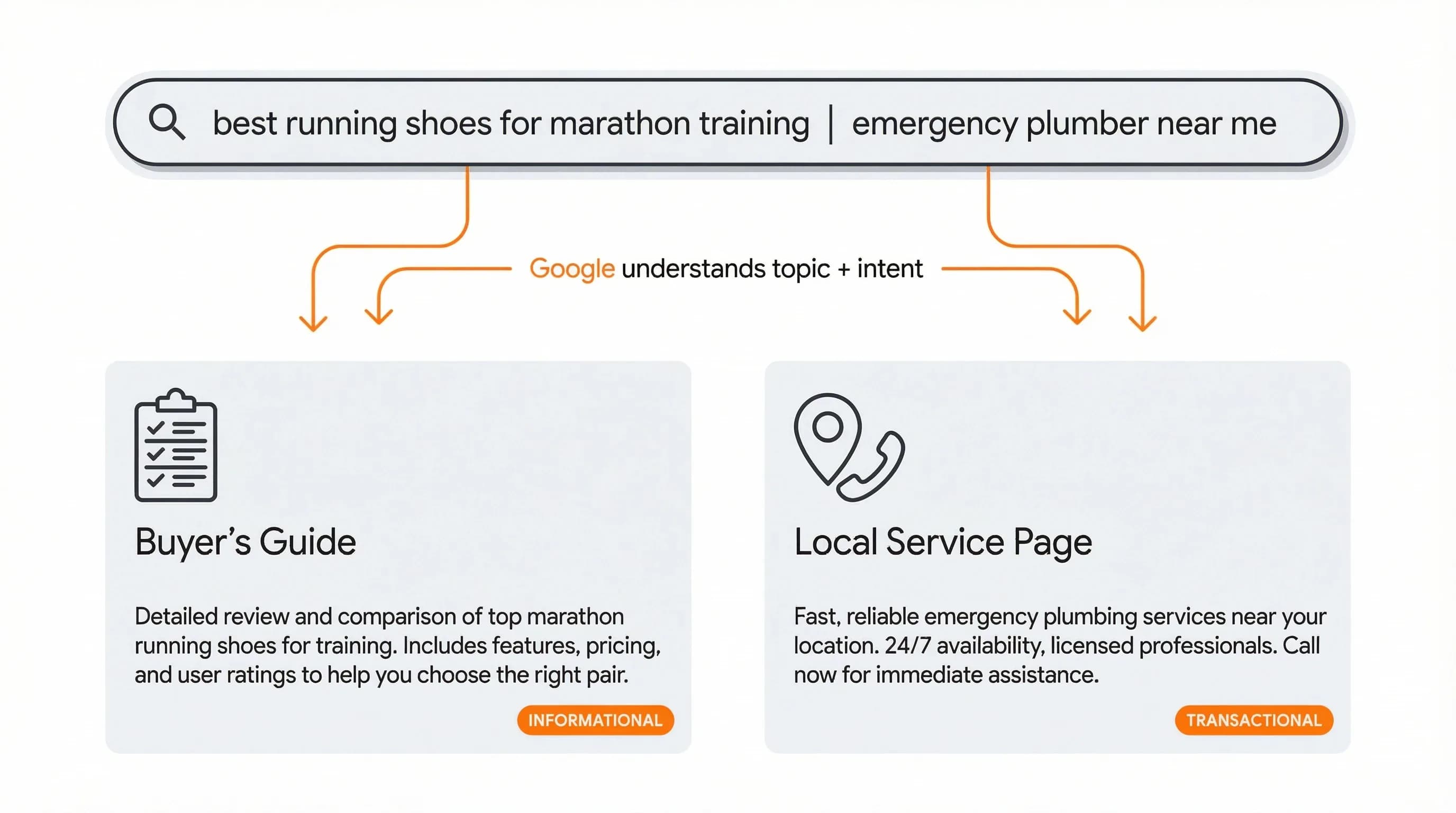
The main types:
- Informational – "how to fix a leaky faucet" (guides, how-tos, FAQs)
- Commercial investigation – "best running shoes for marathon training" (comparisons, buyer's guides)
- Transactional – "buy Nike Vaporfly size 10" (product pages with clear CTAs)
- Local – "emergency plumber near me" (location pages with name, address, phone)
Your on-page elements should mirror what's already winning on page one for that intent. If Google shows five listicles for "best running shoes for marathon training," don't publish a technical whitepaper.
Check the top three results for your target query. Their format, depth, and structure tell you what Google thinks satisfies that intent.
Read also: On-Page SEO Checklist for Titles, Intent, and Links
How On-Page SEO Works
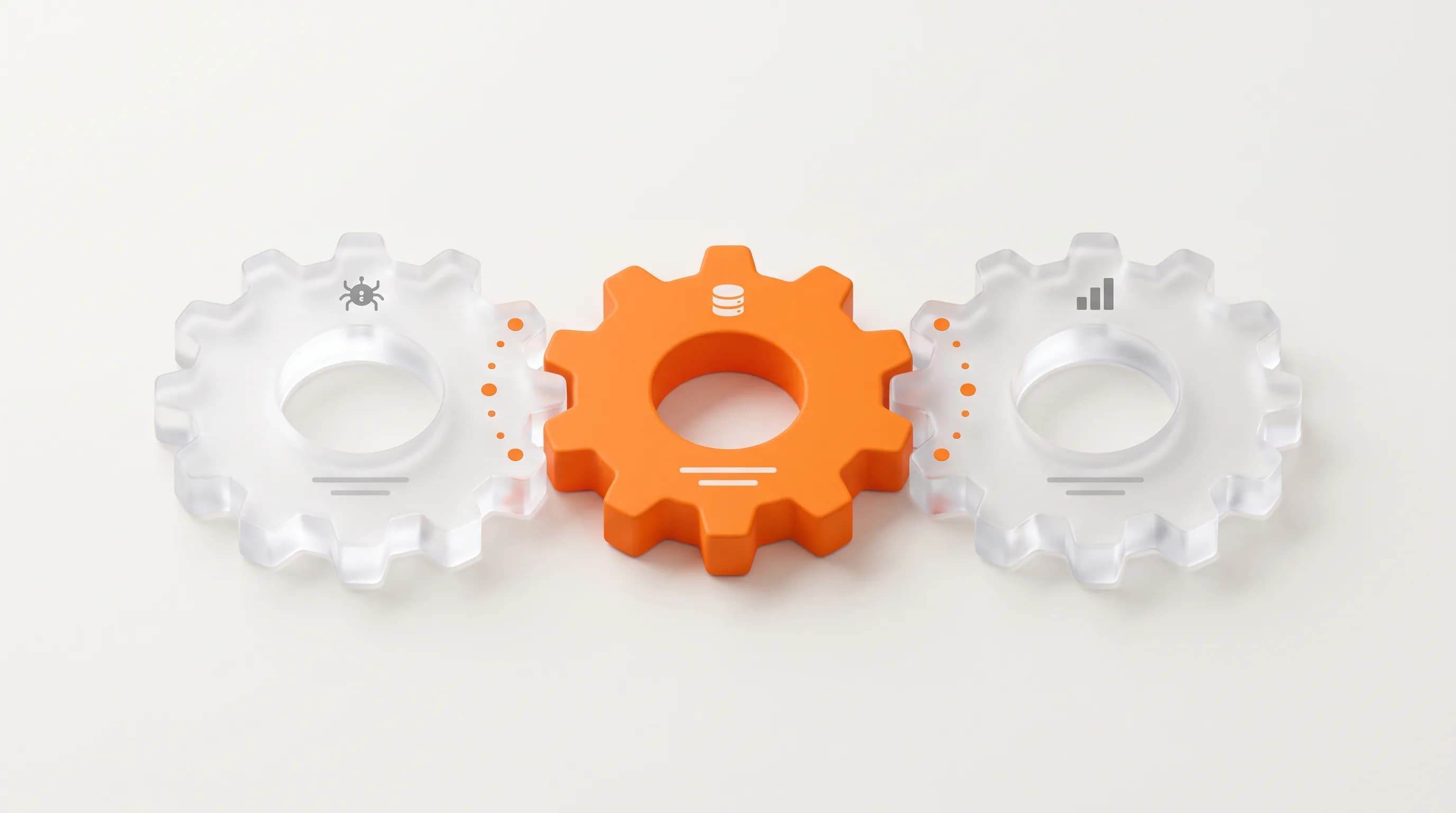
Search engines crawl pages, read content and HTML tags, index them, then use hundreds of signals to rank them. On-page SEO shapes three key signals: topical relevance, clarity of structure, and perceived quality.
The basic flow:
- Crawl – Googlebot follows links to discover your page
- Understand – Google reads your title, headings, and tags to figure out your topic
- Rank – Google compares your page against others using relevance, authority, and engagement signals
- Refine – Google adjusts rankings based on how users interact with your page
On-page optimization influences steps two, three, and four. Keywords help Google understand your topic. Headings show how thoroughly you cover it. Clear answers and scannable formatting keep users engaged.
Does on-page SEO affect rankings? Yes. If two pages have similar backlink profiles but one has clearer titles, better structure, and more thorough content, that page typically ranks higher.
On-Page vs Off-Page vs Technical SEO
Off-Page SEO
Off-page SEO is work done away from your site to build authority and trust. That primarily means backlinks, brand mentions, and digital PR references from other sites.
When reputable sources link to you, Google interprets that as a vote of confidence. Off-page signals tell Google you're credible and worth showing to searchers.
Technical SEO
Technical SEO ensures search engines can crawl, index, and render your content efficiently across devices. Site speed, mobile friendliness, sitemaps, structured data, and HTTPS all fall under technical SEO.
These behind-the-scenes systems let Google access and interpret your pages correctly. If you want a detailed walkthrough, our technical SEO checklist covers the most important tasks.
Content SEO
Content SEO is the strategy and craft behind the content itself: topics, search intent, quality, and originality. Most practitioners treat content SEO as a core part of on-page SEO rather than a separate category, since you can't optimize a page without dealing with the content on it.
How They Work Together
High-performing sites typically align all three: fast, crawlable sites with strong content and consistent off-page authority. One weak pillar limits the others.
Great content won't rank if the site is slow or uncrawlable. A fast site with thin content won't outrank competitors with depth and links. Strong backlinks can't save a page that doesn't match search intent.
Type of SEO | Main focus | Typical tasks |
|---|---|---|
On-page SEO | Content and HTML elements on individual pages | Title tags, headings, body copy, keyword placement, internal linking, URL structure |
Off-page SEO | Authority and trust signals from external sources | Building backlinks, earning brand mentions, digital PR, guest posts |
Technical SEO | Site infrastructure and crawlability | Site speed optimization, mobile responsiveness, XML sitemaps, structured data, HTTPS |
Content SEO | Strategy and quality of the content itself | Topic research, search intent mapping, writing depth, originality, readability |
Core On-Page SEO Elements
Title Tags
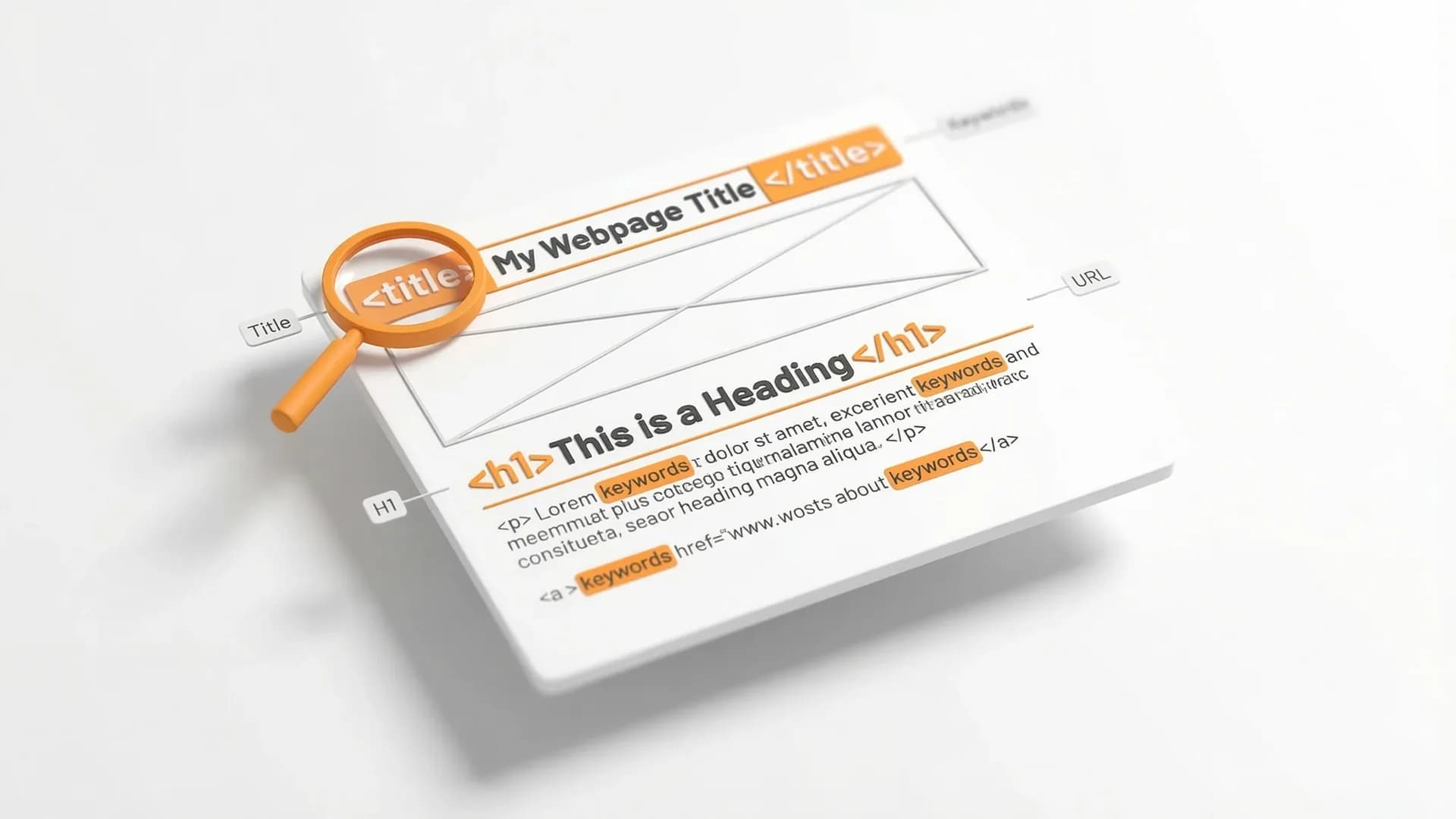
Put the primary keyword close to the beginning, keep to roughly 50 to 60 characters, and make the title read like a compelling, honest promise.
Title tags appear in search results and browser tabs. They're often the first thing people see, so clarity and relevance drive click-through rate. A generic title like "Services" won't compete with "Emergency Plumber in Austin | 24/7 Same-Day Service."
H1 and Headings
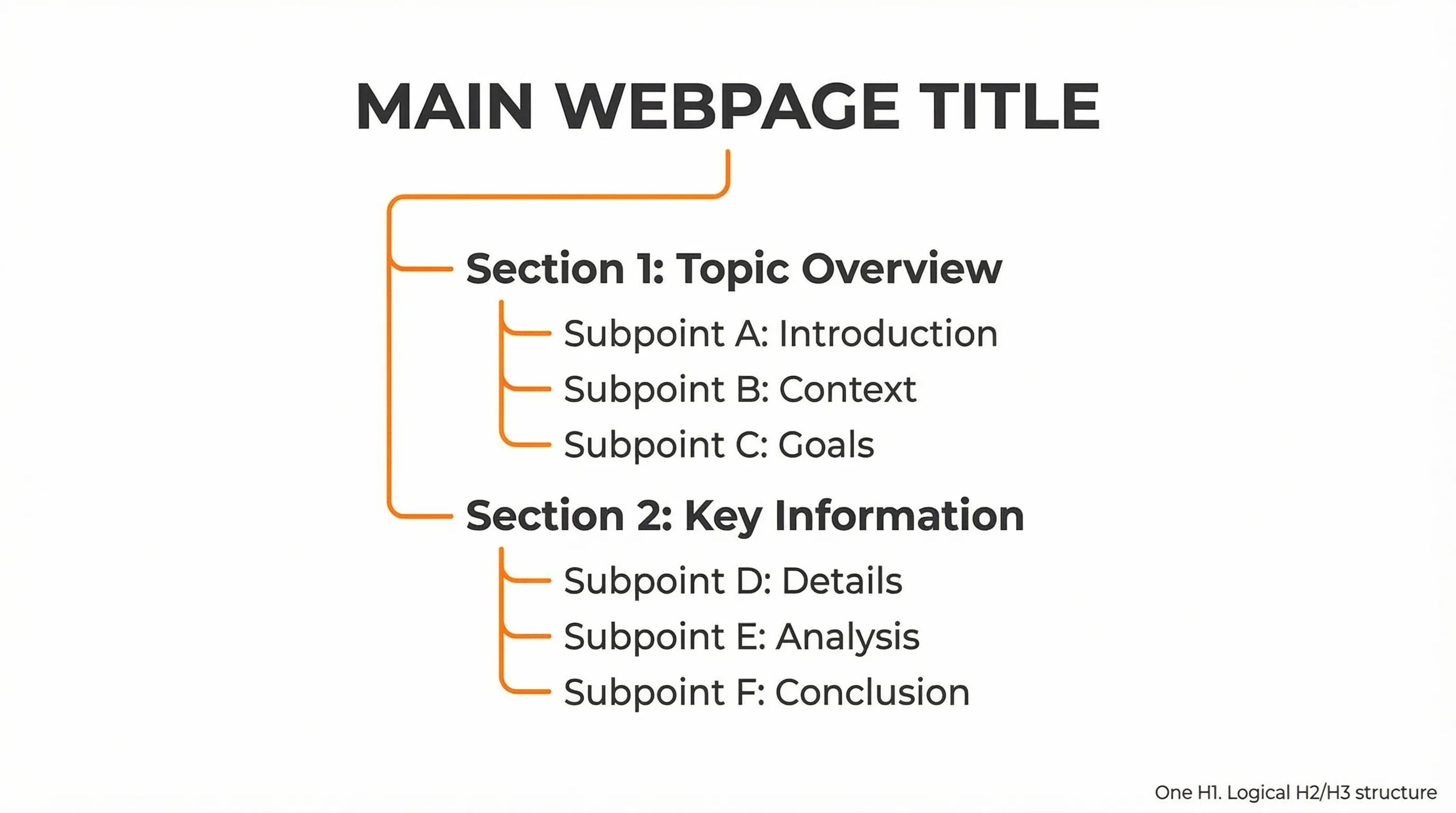
Use one H1 per page and break the page into logical H2 and H3 sections that mirror how users phrase questions in Google and People Also Ask. Headings create hierarchy and help both readers and search engines scan your content quickly.
Good headings preview what each section covers. Weak headings just label sections without adding context.
Body Content
Write clear, original content that answers the main question early, then expands with examples, FAQs, and related subtopics. Top-ranking content is detailed without padding.
Pages that hold rankings answer the primary question in the first few paragraphs, then go deeper for people who want more detail. Fluff and keyword stuffing hurt more than they help.
Keyword Placement
Include the primary keyword in the first 100 words, at least one subheading, and a few times later in the copy, plus natural variations and related entities. Brands, tools, locations, and synonyms all help Google understand context.
You're not aiming for a specific keyword density. You're aiming for natural language that clearly signals your topic without forcing repetition.
URL Slugs
Keep URLs short, descriptive, and hyphenated. A clean URL like /on-page-seo/ tells both users and search engines what to expect before the page even loads.
Avoid parameters, session IDs, and unnecessary numbers. Clean URLs are easier to share, easier to remember, and slightly easier for Google to parse.
Internal Linking
Add contextual links from relevant articles and service pages to guide users and reinforce topical clusters. Descriptive anchor text works better than "click here."
Internal links distribute authority across your site and help Google understand which pages are most important. When you link from a high-authority page to a newer one, you're giving it a boost.
Mobile Experience and Readability
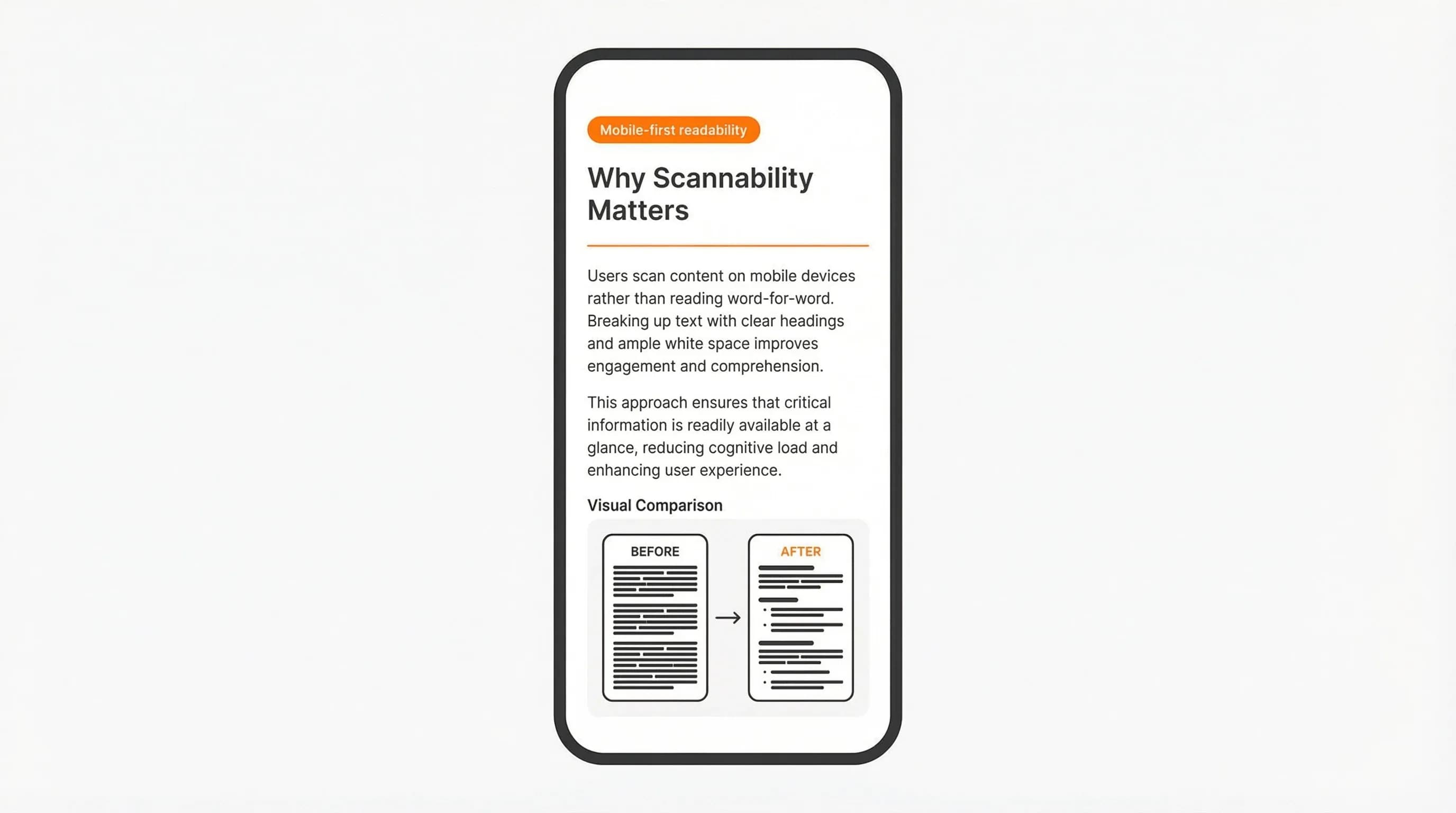
Use short paragraphs (two to three sentences), clear fonts, and enough spacing for phone screens. Most organic traffic now comes from mobile devices.
If your page is hard to read on a phone, users bounce. High bounce rates signal to Google that your page doesn't satisfy intent, which can hurt rankings.
If you need help auditing these elements or implementing changes, our SEO services include on-page optimization.
On-Page SEO and E-E-A-T (Experience, Expertise, Authority, Trust)
Google's documentation and guidelines emphasize E-E-A-T, especially for topics that affect money, health, or major decisions. These signals surface directly in what users see on a page, not just in backlinks or brand strength.
Experience
Add specifics, examples, screenshots, or real scenarios that show you've done what you're describing. Real campaign results or practical anecdotes signal firsthand knowledge. Generic advice anyone could write doesn't.
Expertise
Use clear author bios, relevant credentials, and accurate terminology without overwhelming readers with jargon. If you're writing about technical SEO, mention your background. If you're writing about health, cite your qualifications.
Authority
Reference reputable sources and link out when it genuinely helps readers verify claims or go deeper. Citing Google's own documentation, peer-reviewed studies, or industry research builds credibility.
Trust
Make pages easy to navigate, avoid misleading titles, and ensure basic trust elements are in place. HTTPS, up-to-date content, and clear contact information all matter. If your title promises a complete checklist, deliver that checklist.
Structuring Pages for Featured Snippets and AI Overviews
Many on-page SEO queries trigger featured snippets, bullet lists, and People Also Ask boxes in search results. Clear structure increases the odds of being used in these SERP features.
Use Question-Style Headings
Use question-style headings that mirror how people search, then answer directly in the first 40 to 60 words below each heading. If someone searches "what is on-page SEO in simple terms," that exact phrase should appear as an H2 or H3, followed by a concise definition.
Match SERP Formats
Use lists or tables when the SERP already shows lists or tables for that query. If Google displays a bulleted list for "on-page SEO basics," structure your content the same way. Checklists, pros and cons, and comparisons work well in table format.
Front-Load Answers
Concise, honest definitions and summaries early in each section help both users and AI systems understand your page. Front-load the answer, then expand with details for people who want more depth.
Your FAQ and TL;DR sections should follow this pattern consistently. They're intentionally snippet-friendly because they answer specific questions directly.
Why On-Page SEO Matters for Rankings
On-page relevance and quality help search engines decide whether your page deserves to appear in the top results for a query. Without clear signals, Google might misread your topic or think your page is lower quality than it is. That leaves good content buried on page three or four, where almost no one clicks.
Better Click-Through Rates
High-quality title tags and meta descriptions lift click-through rates. Studies commonly report double-digit CTR improvements after better alignment with search intent. If you're ranking on page one but nobody clicks, you're losing traffic to competitors who wrote more compelling titles.
More SERP Features
Strong on-page SEO creates clearer passages and sections that Google can pull into featured snippets, People Also Ask, and AI overview cards. These SERP features drive significant traffic, especially for informational queries. Pages with well-structured headings and concise answers show up more often in these positions.
Quick Wins on Existing Pages
Many businesses see measurable gains by improving on-page basics on pages already getting impressions. You don't always need new backlinks or a site rebuild. Sometimes you just need better titles, clearer headings, and content that matches what people search for.
Direct benefits:
- Higher visibility in search results for target queries
- Better click-through rates from improved titles and descriptions
- More featured snippet and AI overview appearances
Common On-Page SEO Mistakes to Avoid
- Targeting the wrong search intent – Using a product page for a query where Google only shows in-depth guides, or publishing a guide when users want to buy.
- Burying the main answer – Putting the answer halfway down the page instead of stating it clearly in the intro and early headings.
- Using vague headings – Writing "Introduction" or "Miscellaneous" instead of descriptive, keyword-aligned headings that reflect real questions.
- Ignoring internal links – Leaving strong content isolated instead of connecting it to related pages in a topic cluster.
- Publishing thin content and never updating it – Letting core topic pages sit unmaintained as the SERP and user expectations evolve.
The principles are straightforward. Execution is where most sites struggle, not because it's technically difficult, but because it requires consistent attention to detail across every page you publish.